LetMeBe Let apps go quiet.
Filter known app domains and custom host rules on-device—without routing your whole connection through a remote VPN.
Free to download · iPhone and iPad · iOS 15+
Selective, not destructive
Your device stays connected.
The apps you choose go quiet.
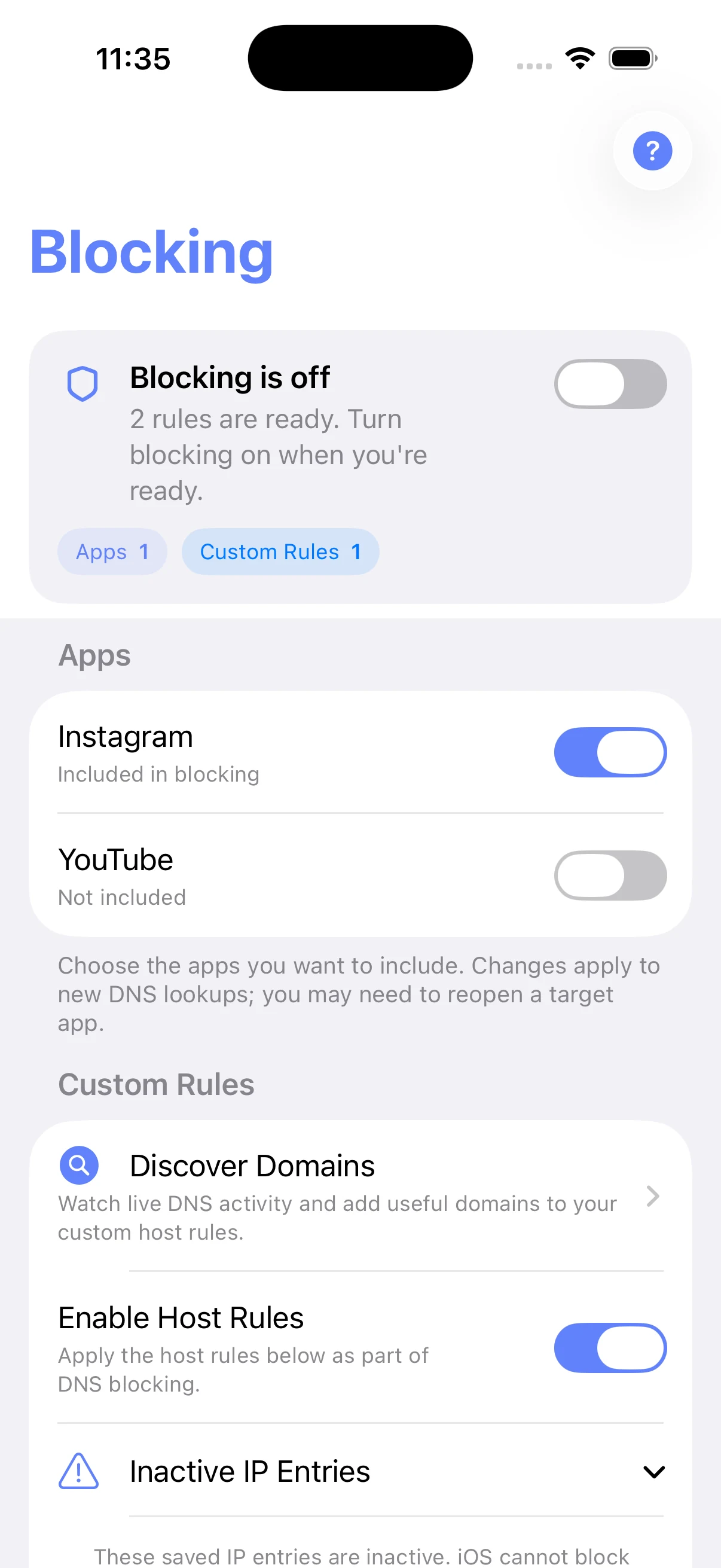
LetMeBe matches DNS requests against the apps and host rules you select. It does not turn off Wi‑Fi or mobile data for everything else.
Three deliberate moves
From distraction to quiet.
-
01
Choose an app
Include the app you want to quiet. Premium unlocks multiple selected apps at the same time.
-
02
Turn Blocking on
LetMeBe activates the on-device VPN profile iOS requires for local filtering. The rest of your connection stays available.
-
03
Refine with domains
Discover live DNS activity, review what an app depends on, then save useful domains to your custom host rules.
Observation mode
See the signal.
Keep the useful rules.
Capture live DNS lookups on-device, identify the domains an app depends on, and add only the useful candidates to your host blocklist.
LetMeBe does not read message or web-page contents. System domains stay disabled on purpose, and shared infrastructure is clearly flagged for review.
Deterministic examples used by the current app’s UI tests.
Clear by design
Not another cloud VPN.
- Uses an on-device VPN profile so iOS can apply your rules.
- Matches selected app domains and custom host rules locally.
- Forwards allowed queries to the DNS provider you choose.
- Keeps the rest of the device connection available.
- It does not anonymize your internet connection.
- It does not inspect messages or web-page contents.
- It cannot always separate services that share infrastructure.
- Existing connections may require reopening the target app.
Start free
Upgrade when quiet becomes a habit.
Localized prices and available trials are shown in the App Store.
Straight answers
Before you switch it on.
Is LetMeBe an anonymity VPN?
No. iOS requires a local VPN profile so LetMeBe can apply DNS filtering. It does not route your traffic through a remote anonymity service.
Does it disconnect my whole device?
No. LetMeBe blocks matching requests for your selected apps and enabled host rules while allowed queries continue through your chosen DNS provider.
Why might an app need to be reopened?
Rule changes apply to new DNS lookups. Existing connections can remain active until the target app is reopened, and shared infrastructure cannot always be separated cleanly.
Which devices are supported?
The current App Store version supports iPhone and iPad with iOS or iPadOS 15.0 or later.
Ready when you are
Leave the noise connected.
Choose what reaches you.